A well-built Revit model already contains most of the answers a project needs. The data is there. What most teams are still missing is a way to act on it systematically — to automate the recurring data work instead of repeating it by hand every time the design moves.
That gap is where expert time goes. Not into decisions, but into the steps between decisions.
Today, we are launching a major new capability in Vyssuals that is built around that idea: a purpose-built data transformation node graph that runs on both Revit and IFC in one software, so the same data-automation patterns apply whether you are working in native Revit or in IFC handover workflows.
Why We Built This
A lot of automation tools promise end-to-end workflows. In real projects, that usually breaks as soon as edge cases show up.
So we built this release around one principle:
Automate the task, not the process.
That means you can automate repetitive, high-leverage data work, reuse it across projects, and still keep manual control when project-specific adjustments are needed.
What Makes This Graph Different
This is not a generic, geometry-first node graph. It is intentionally built for data transformations and optimized for table-based operations.
Why that matters:
- Data workflows are easier to build because the graph thinks in columns and rows
- Join, formula, and compare logic are first-class workflow elements
- Execution is very fast, even on large models
- The same workflow patterns can be reused for Revit and IFC use cases
A Practical Example: Transfer Room Occupancy to Doors
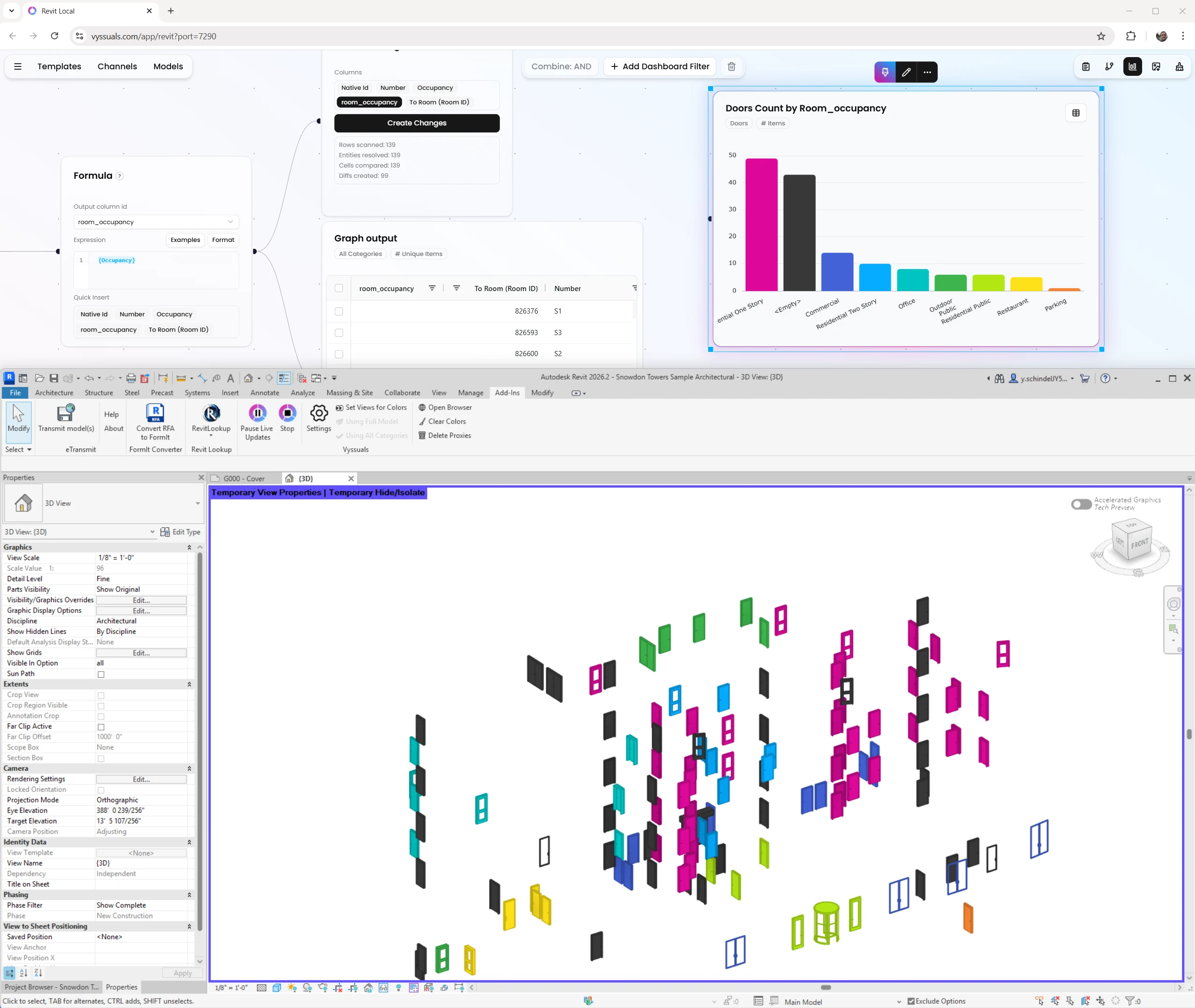
In our launch walkthrough, we show a complete workflow where room properties are written onto doors, so the data can be used downstream in exports and coordination.
At a high level, the flow looks like this:
- Enable spatial properties in the connector and start from a clean slate.
- Add one model input for doors and one model input for rooms.
- Join both datasets by matching the door
to roomID with the room native Revit ID. - Use a formula node to write room occupancy values into a door parameter column.
- Use Create Changes to compare values and send approved updates to Revit.
The key design decision here is safety: nothing is written to Revit automatically while you build the graph. You review the proposed changes first, then explicitly send them.
What This Unlocks Next
Over the next weeks, we will publish concrete workflows powered by this node graph, including:
- Carbon and LCA calculations from Revit plus external rate data
- Pre-export contract data enrichment
- IFC enrichment and schema mapping workflows
The goal is not to replace your judgment. The goal is to remove repetitive data friction so your team can spend more time on decisions that actually need expertise.
What This Means for Your Workflow
Reusable Automation Without Rigidity
Build once, reuse on future projects, and adjust where needed. You get consistency without locking yourself into brittle end-to-end pipelines.
Better Control for Real Projects
Teams keep manual control for exceptions, special project conditions, and quality checks. Automation handles the repetitive parts, people handle the important decisions.
One Environment for Revit and IFC Data Work
Instead of stitching together separate tools, you can run transformation workflows for both Revit model data and IFC handover workflows in the same environment.
Looking Ahead
This release is a foundational step for data automation in Vyssuals. We are continuing to build workflows that help BIM teams move faster, reduce manual rework, and keep quality high across project phases.
If your project is data-rich and you are tired of manual data transfer work, this release is for you.
Want to see the full walkthrough? Watch the release video on our YouTube channel and get started with Vyssuals.